notifications
alerts
How to get notified when a website changes
Detecting a change is only half of website monitoring. Here is how to get the alert delivered where you will see it, fast enough to act, without the noise.
· 8 min readRead
Paste a URL and Webtingle checks the page in a real browser on your schedule. When something changes, you get an alert with a short summary of what changed, and the full before and after is one click away.
No credit card required14-day free trialCancel anytime
Plans from $9.99 a month after the trial. Your first monitor takes about two minutes.
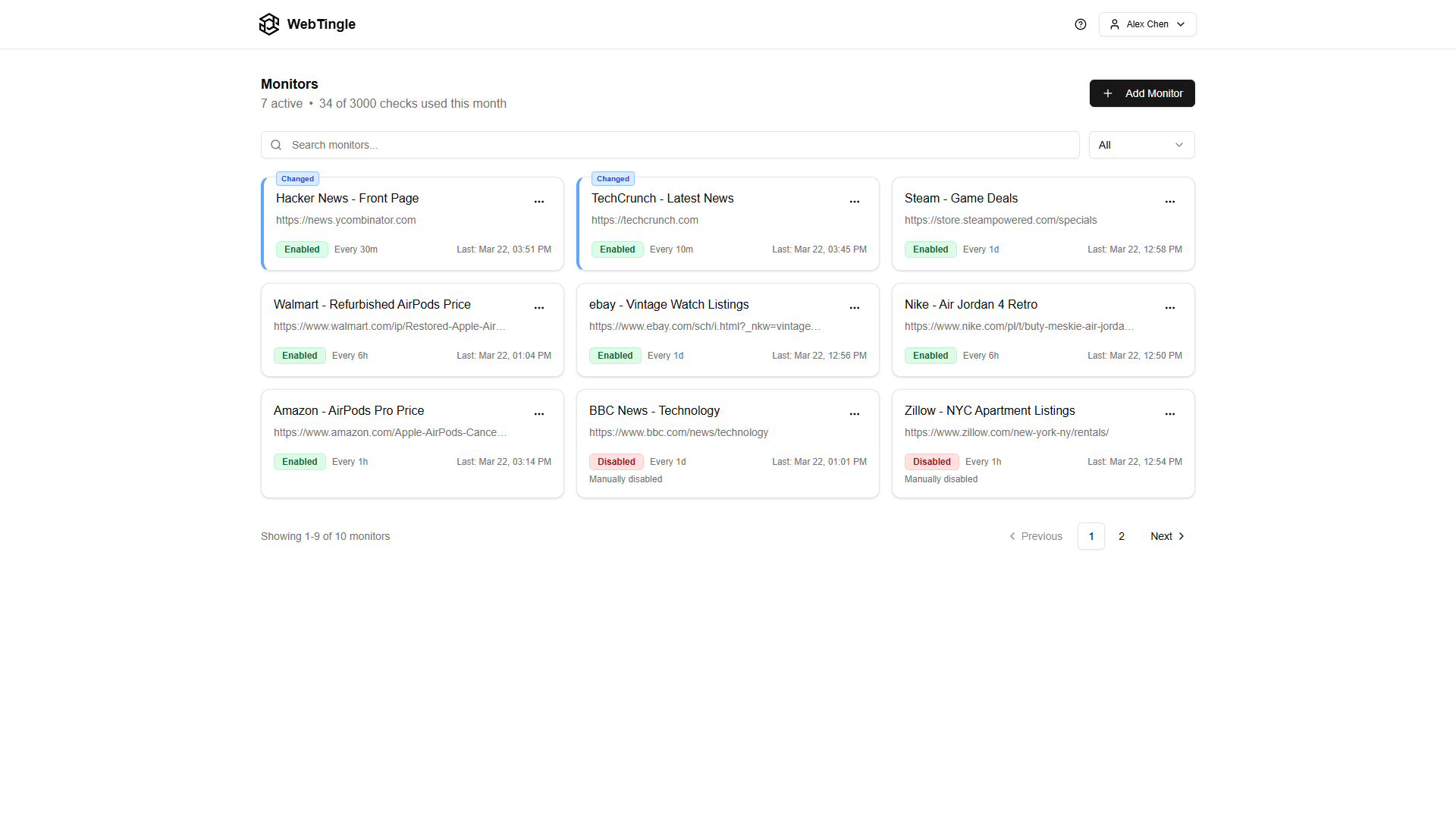
Click a price, a headline or a table in the live preview and only that element is compared. Rotating banners and timestamps elsewhere on the page stop setting off alerts.
Every alert carries a one-line AI summary, and email alerts also show the changed part highlighted. Add a condition in plain words, such as "only when a new job is posted", and the rest is kept in the history without pinging you.
Send each monitor to email, Slack, Microsoft Teams, Discord, Telegram or a webhook. Every plan has unlimited pages, and you pick how often each one is checked.
A few of the pages people put on a monitor, with a condition that keeps the alerts to the changes that matter.
A careers page or a saved job-board search. Hear about a new role before it fills up.
Agency notices, consultation pages and rule updates that rarely announce when they change.
API documentation and release notes from the tools your product depends on.
Event pages and appointment calendars, including slots that only appear after you pick a date.
Terms of service, privacy policies and subprocessor lists of the vendors you rely on.
A product page at any online store, for a price drop or a restock.
An email alert answers "do I need to act?" before you open anything.
An AI summary names the change, here a new notice on a council's page, so you know without opening it.
When several parts of the page changed, each one gets its own line, so nothing hides behind the summary.
The old and new version with the changes outlined, and the rule that triggered the alert. One click opens the full comparison.
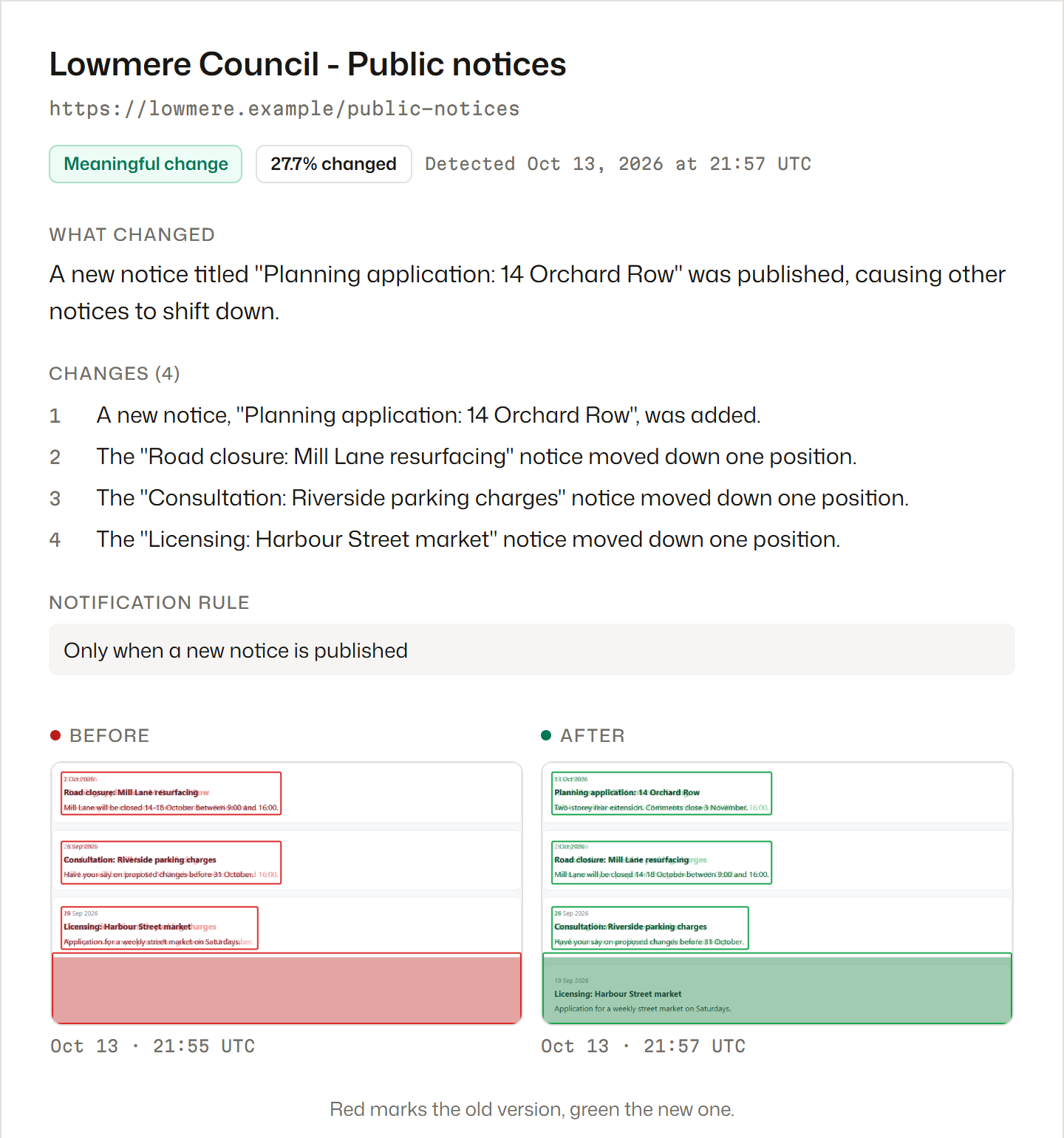
Every alert links to the change in Webtingle, where the summary, each change on its own line and both versions of the page sit side by side.
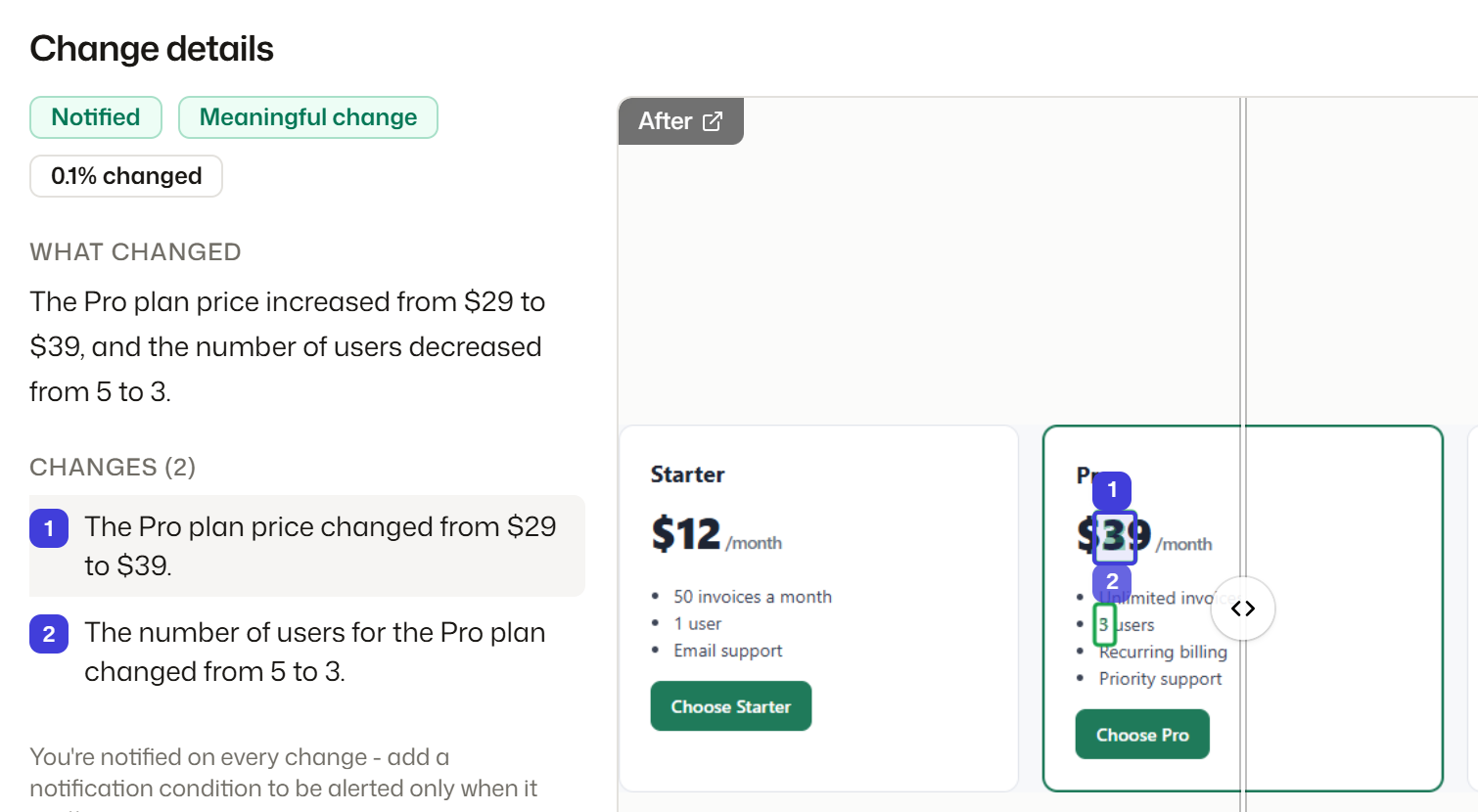
An AI summary of the change, such as a plan's price going up, with how much of the watched part moved.
Each changed area gets its own line. Click one and the page scrolls to it, outlined on both versions.
Drag the slider over the two captures. Removed content is outlined in red, added content in green. With a notification condition set, the rule that matched is shown too.
Three steps. No downloads, no browser extension, nothing to install on the site you watch.
Webtingle opens the page in a live preview. Click the part you care about, such as a price, a stock label or a headline, then pick how often to check.
Every check takes a full screenshot and compares it with the last one. Cookie banners are handled for you, and a page that needs a click first can be recorded once.
Every change comes with a plain-English summary, and each changed area is listed on its own. Click one to jump to it on the page, or drag the slider over the two screenshots.
Every plan has unlimited monitors and every feature. Plans differ in checks per month, how often a page can be checked, how many channels you can connect, and how long history is kept.
Free for 14 days, no card.
Step-by-step setups, and what to expect from each kind of alert.
Detecting a change is only half of website monitoring. Here is how to get the alert delivered where you will see it, fast enough to act, without the noise.
Browser extension, DIY script, or hosted monitor - an honest comparison of the three ways to get website change alerts, free and paid, and which one fits you.
Set up automatic website monitoring in under 2 minutes. Step-by-step guide to tracking changes on any web page with instant alerts.