competitor monitoring
competitive intelligence
What to watch on a competitor's website
Competitor monitoring usually fails by drowning you in changes that don't matter. How to pick the pages worth watching and skip the rest.
· 13 min readRead
Put your competitors' pricing, product and careers pages on one watchlist. Webtingle checks each page on its own schedule and sends you a short summary of what changed, with screenshots to back it up.
No credit card required14-day free trialCancel anytime
Plans from $9.99 a month after the trial. Your first monitor takes about two minutes.
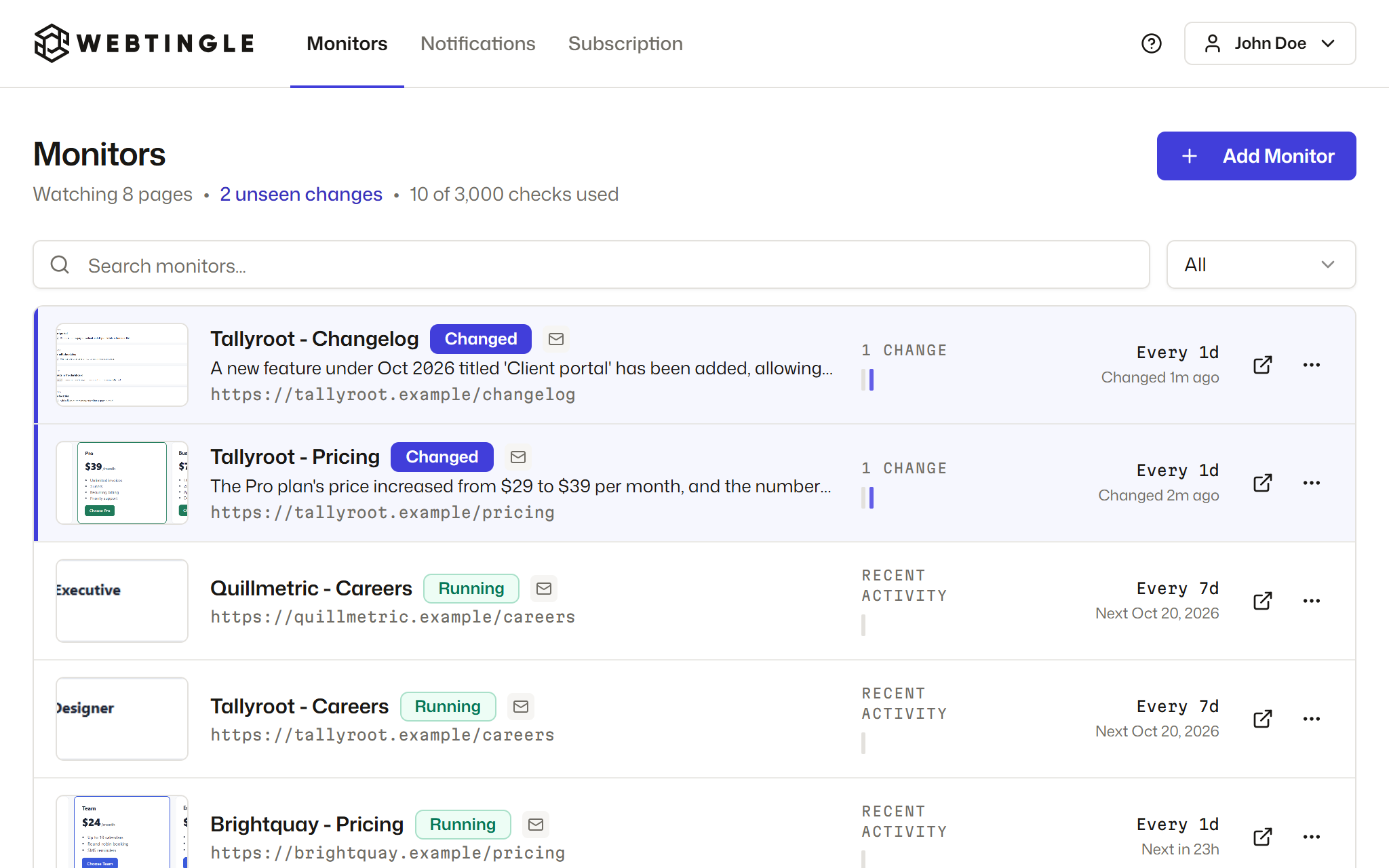
Add pricing and feature pages, changelogs, job listings and legal terms. Every plan has unlimited monitors, so you pay for checks, not for pages, and a page checked daily uses about 30 checks a month.
Each alert says in one line what changed, like a plan going from $29 to $39, with the before and after one click away. The screenshots are the proof when you pass it on to sales or product.
Send pricing changes to a #competitor-alerts channel in Slack or Microsoft Teams, or route each page to the email, Discord, Telegram or webhook that suits it.
Pages that change when a real decision gets made. Start with three to five competitors and check each page as often as it actually moves.
| Page | What changes there | Check it |
|---|---|---|
| Pricing | Plan prices, limits, and features moving between plans | Daily |
| Product and feature pages | New features, renamed products, a shift in who they sell to | Daily |
| Changelog or release notes | What shipped, often before it's announced | Daily |
| Integrations | New partners and connectors | Weekly |
| Careers | New roles that show where they're investing | Weekly |
| Terms and legal pages | Changed limits, data rules and contract terms | Weekly |
Pricing
Product and feature pages
Changelog or release notes
Integrations
Careers
Terms and legal pages
Send a competitor's changes to a shared channel and the whole team reads the same alert.
The summary says what the change means, so most alerts can be read without clicking through.
Only 0.1% of this page moved, and it was a price rise. The summary tells you what a change is, whatever its size.
"View in Webtingle" opens the before and after; "Visit Page" opens the live page.

A typical watchlist for three to five competitors, priced three ways.
| Monthly cost | What you get | |
|---|---|---|
| Checking by hand | About 15 hours of someone's time | Whatever they notice on the day they look |
| Visualping | $140, the Business plan | Slack alerts are on Business plans only |
| Webtingle | $9.99, the Standard plan | Slack, AI summaries and conditions on every plan, unlimited pages |
Checking by hand
Visualping
Webtingle
Hand checking assumes one minute per page per day. Visualping prices from visualping.io/pricing, September 2026.
Three steps. No downloads, no browser extension, nothing to install on the site you watch.
Webtingle opens the page in a live preview. Click the part you care about, such as a price, a stock label or a headline, then pick how often to check.
Every check takes a full screenshot and compares it with the last one. Cookie banners are handled for you, and a page that needs a click first can be recorded once.
Every change comes with a plain-English summary, and each changed area is listed on its own. Click one to jump to it on the page, or drag the slider over the two screenshots.
Every plan has unlimited monitors and every feature. Plans differ in checks per month, how often a page can be checked, how many channels you can connect, and how long history is kept.
Free for 14 days, no card.
Which pages to put on the list, and how to get the alerts to your team.
Competitor monitoring usually fails by drowning you in changes that don't matter. How to pick the pages worth watching and skip the rest.
Stop finding out about competitor pricing changes days late. A 5-step setup to route competitor pricing alerts straight to Slack, with visual diffs.
Watch competitor restaurant menus across your neighborhood and spot trends emerging across them. Setup for tracking items, repricing, and visual diffs.