price tracking
ecommerce
Price drop alerts: get notified when prices fall
Online prices change daily, so the drop you wait for can vanish before you notice. Set up price drop alerts on any product page and catch the next markdown.
· 10 min readRead
Click the price or the stock label on any product page. Webtingle checks it on your schedule and tells you when the price falls or the item can be bought again, with the old and new price in the alert.
No credit card required14-day free trialCancel anytime
Plans from $9.99 a month after the trial. Your first monitor takes about two minutes.
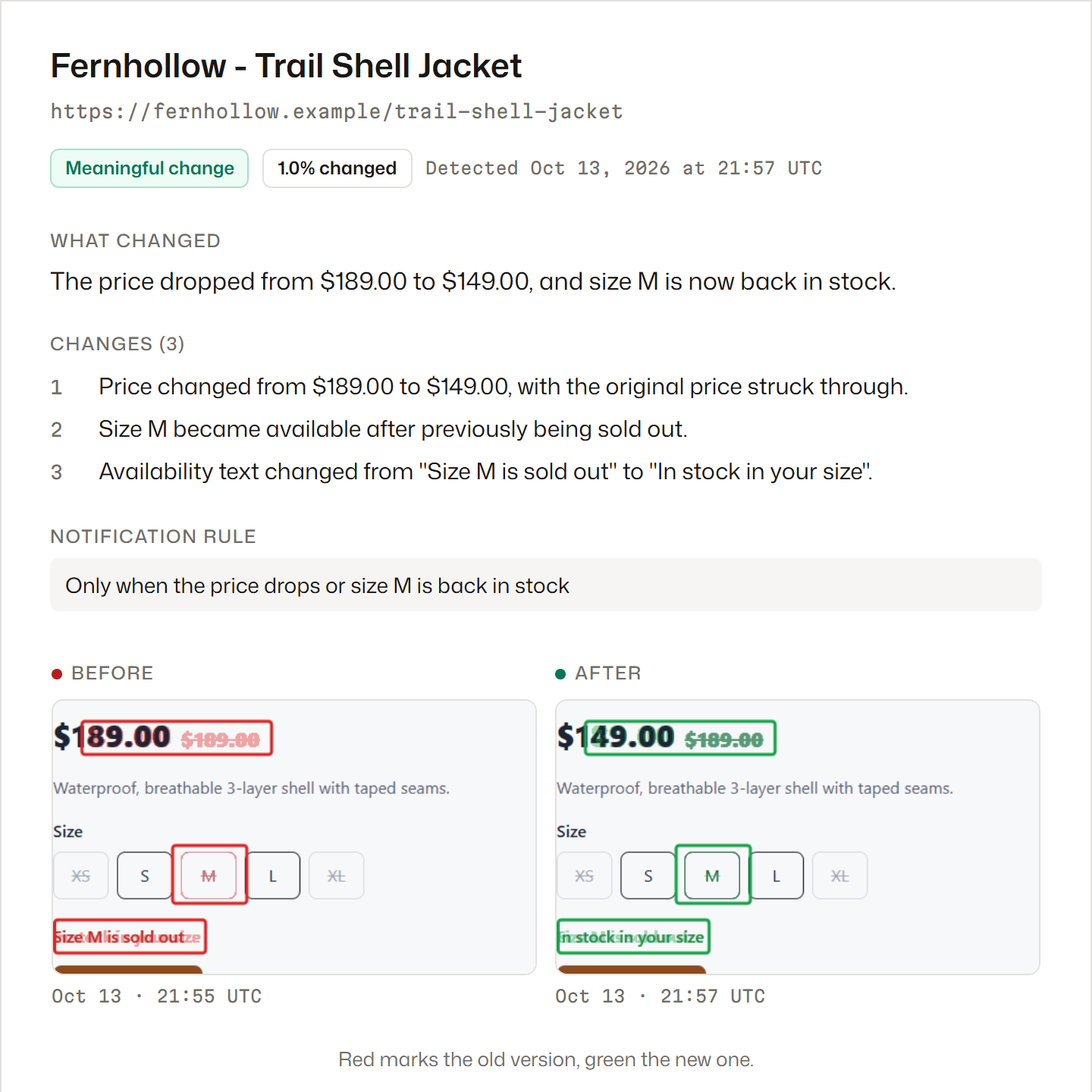
Wishlists and "notify me" buttons only cover their own shop, and some send in batches. A monitor reads the product page the way a visitor sees it, so you can watch the same item at every retailer that sells it.
Write the condition in plain words, such as "only when the price goes under 40" or "only when it's back in stock". Other changes on the page are kept in the history and don't notify you.
Send the alert to email, Telegram or Discord, so you hear about a restock while you're away from your desk and can buy before it sells out again.
Big retailers like Amazon, Walmart, eBay and Nike, and small shops alike.
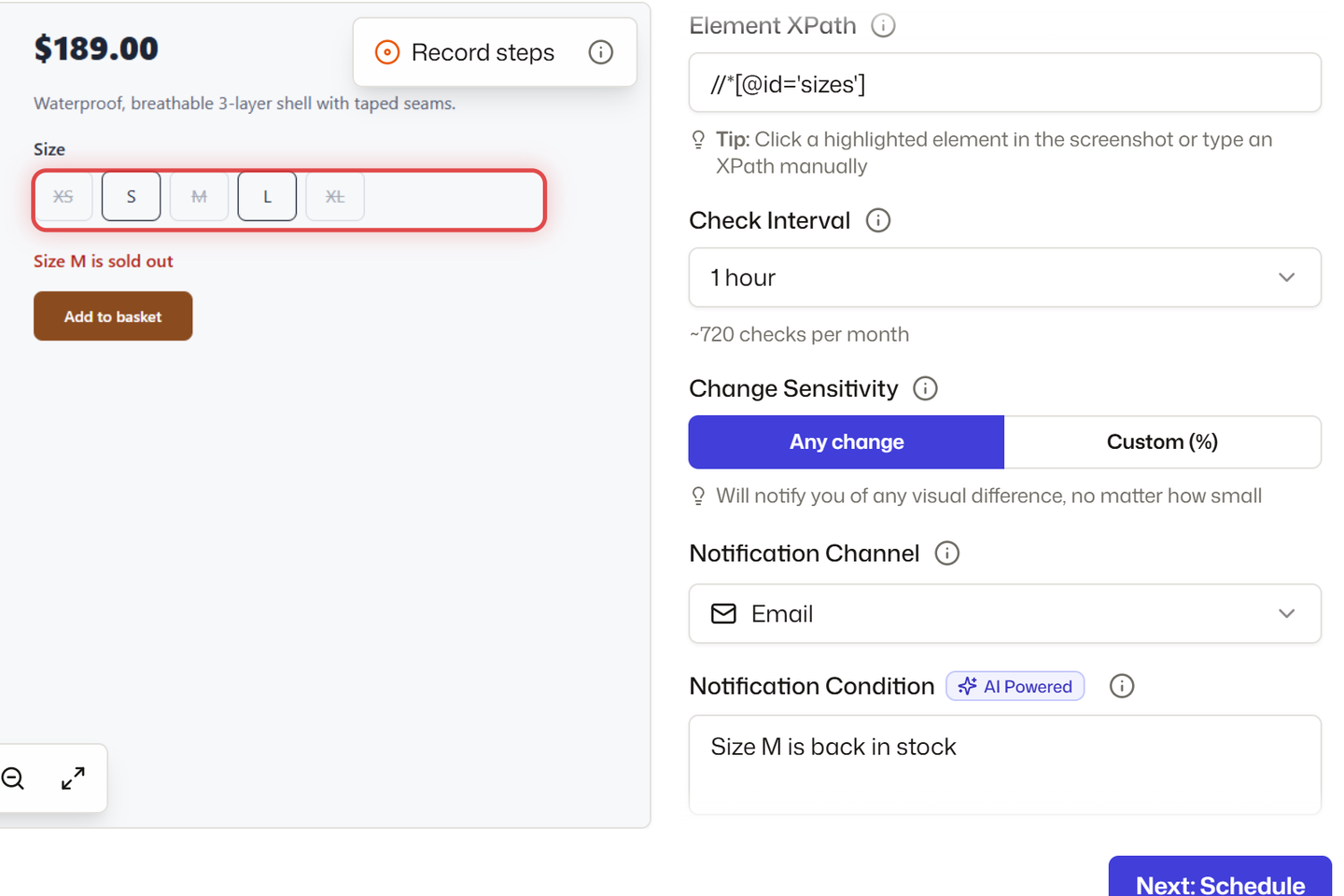
Select the price, the stock label or the size grid in the live preview. Everything else on the page is ignored.
Write a condition such as "Size M is back in stock" and the alert waits for exactly that.
If the size or color only shows after a click, record the click once and it replays before every check.
Each one has its place. The difference is which stores it covers and whether it needs your computer.
| Store "notify me" or wishlist | Browser extension | Webtingle | |
|---|---|---|---|
| Which stores | Only that store | Any page, checked from your own browser | Any product page you can open without signing in |
| Needs your computer on | No | Yes | No |
| When you hear | When the store sends its emails | On the next check while the browser runs | On the next check, around the clock |
| Only the change you want | No | Sometimes | Yes, a condition in plain words |
| Cost | Free | Free or a few dollars | Plans from $9.99 a month |
Which stores
Needs your computer on
When you hear
Only the change you want
Cost
Three steps. No downloads, no browser extension, nothing to install on the site you watch.
Webtingle opens the page in a live preview. Click the part you care about, such as a price, a stock label or a headline, then pick how often to check.
Every check takes a full screenshot and compares it with the last one. Cookie banners are handled for you, and a page that needs a click first can be recorded once.
Every change comes with a plain-English summary, and each changed area is listed on its own. Click one to jump to it on the page, or drag the slider over the two screenshots.
Every plan has unlimited monitors and every feature. Plans differ in checks per month, how often a page can be checked, how many channels you can connect, and how long history is kept.
Free for 14 days, no card.
How to set each one up, with the conditions that keep the alerts quiet until it matters.
Online prices change daily, so the drop you wait for can vanish before you notice. Set up price drop alerts on any product page and catch the next markdown.
Retailer 'notify me' buttons send restock alerts in batches, so hot items sell out before you act. Watch any product page yourself and catch the restock first.
Set a price alert that stays quiet until a product hits your number: how to pick a realistic target, write the condition, and know it still works.